How to validate conditional fields in Angular Signal Forms
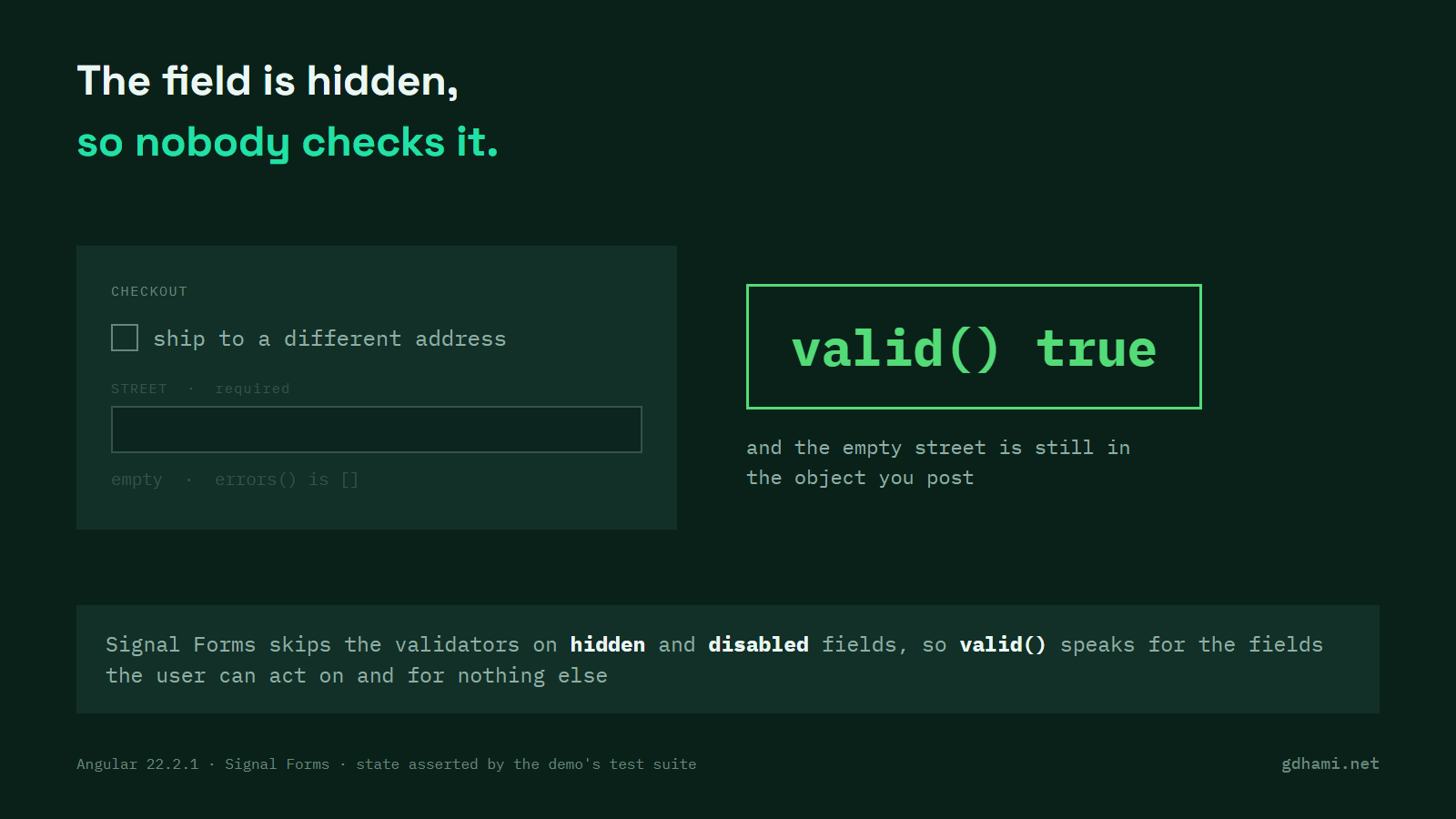
Your checkout form has a checkbox: ship to a different address. Tick it and two required address fields appear. Untick it and they go away again. The form reports itself valid, the submit button lights up, and the body you send carries an address the user backed out of two clicks ago.
Signal Forms went stable in Angular 22. This is the part of it that catches people out. Hidden and disabled fields don't run their validators, so valid() speaks only for the fields the user can act on. It says nothing about the rest of the model, and the rest of the model is what you send. My advice is to build the object you send from the form state, and drop the sections that are hidden while you do it.
The form
The schema is short. hidden goes on the whole shipping group, so the two fields under it inherit it:
hidden(path.shipping, { when: ({ valueOf }) => !valueOf(path.shipToDifferentAddress) });
required(path.shipping.line1, { message: 'Street is required' });
required(path.shipping.city, { message: 'City is required' });
Hidden state is not DOM state. Angular applies no attribute for it, so the template still wraps the fields in @if (!checkout.shipping().hidden()). Nothing odd so far. The box is off, the address fields are off screen, and the two required rules are asleep.
What valid() reports while the section is hidden
Fill in the email, leave the box alone, then ask the form how it is doing. The street field is required and empty, and it carries no error:
f.shipping.line1().value();    // ''
f.shipping.line1().errors();   // []
f().errorSummary();            // []
f().valid();                   // true
That's the documented behaviour. The validation guide says hidden and disabled fields don't run validation until the field becomes interactive again, and the type for hidden in @angular/forms says a hidden field "is ignored when determining the valid, touched, and dirty states". Which is exactly right for the badge on screen. It is wrong the moment you read valid() as a statement about your data.
The design makes sense once you say it out loud. A user can't fix an error on a field that isn't on the screen, so a form that blocked submit over one would just be stuck. Tick the box again and both required rules come back straight away: the form drops to invalid and each empty field reports its own error. Nothing is switched off for good.
The value is still there
So the rules go quiet, but the values stay. Tick the box, type an address, then untick the box because you changed your mind:
f.shipToDifferentAddress().value.set(false);

f.shipping().hidden();        // true
f().valid();                  // true
f().value().shipping;         // { line1: '12 Old Road', city: 'Doha' }
The abandoned address is still in the model. form() writes through to the signal you handed it instead of keeping a copy, so your own signal holds it too. And submit() won't save you: with the box off and both address fields empty, it runs your action and never calls onInvalid, and your action receives two empty strings it was never meant to see.
email: "buyer@example.com",
shipToDifferentAddress: true,
shipping: { line1: "12 Old Road", city: "" }sent anyway
}
What I would do
Build the object you send instead of posting the form value as it stands. One line reads the group's hidden state and leaves the section out:
export function payloadFor(form: FieldTree<Checkout>): CheckoutPayload {
  const { shipping, ...rest } = form().value();
  return form.shipping().hidden() ? rest : { ...rest, shipping };
}
Dropping the key is one choice. Clearing the values when the box goes off is the other, and it is just as defensible. Pick by what your API does with a missing address against an empty one. I would drop the key, because an empty string is a value somebody downstream has to interpret, and an absent field isn't.
On a form you already have, the thing to look for is short. Find a group under hidden or disabled whose value goes straight into an HTTP call. If the request body is the form value as it comes out and some part of the form is conditional, you have this problem now. I would put the helper next to the schema, not inline at the call site, because a second place that sends the same form is where the first one gets forgotten.
Two things I would push back on in a code review. Swapping hidden for disabled fixes none of this: both of them skip the validators, and both of them keep the value. A conditional required rule with a when option behaves the same way. The three differ in what the user sees on screen, not in what the form value holds.
The second one is a validator that checks whether the box is ticked before it complains. On a hidden field that check never runs at all, so it reads like protection and does nothing. Use when when you want the rule itself to be conditional, and keep the payload fix separate.
What I keep in my head is this. In Signal Forms, valid() means the fields the user can act on are fine. The model can hold anything, so decide what you send rather than forwarding it whole. The demo is at github.com/gdhami-net/angular-signal-forms-conditional-demo if you want to try it on your own machine.