Get upload progress back after Angular 22 moved HttpClient to fetch
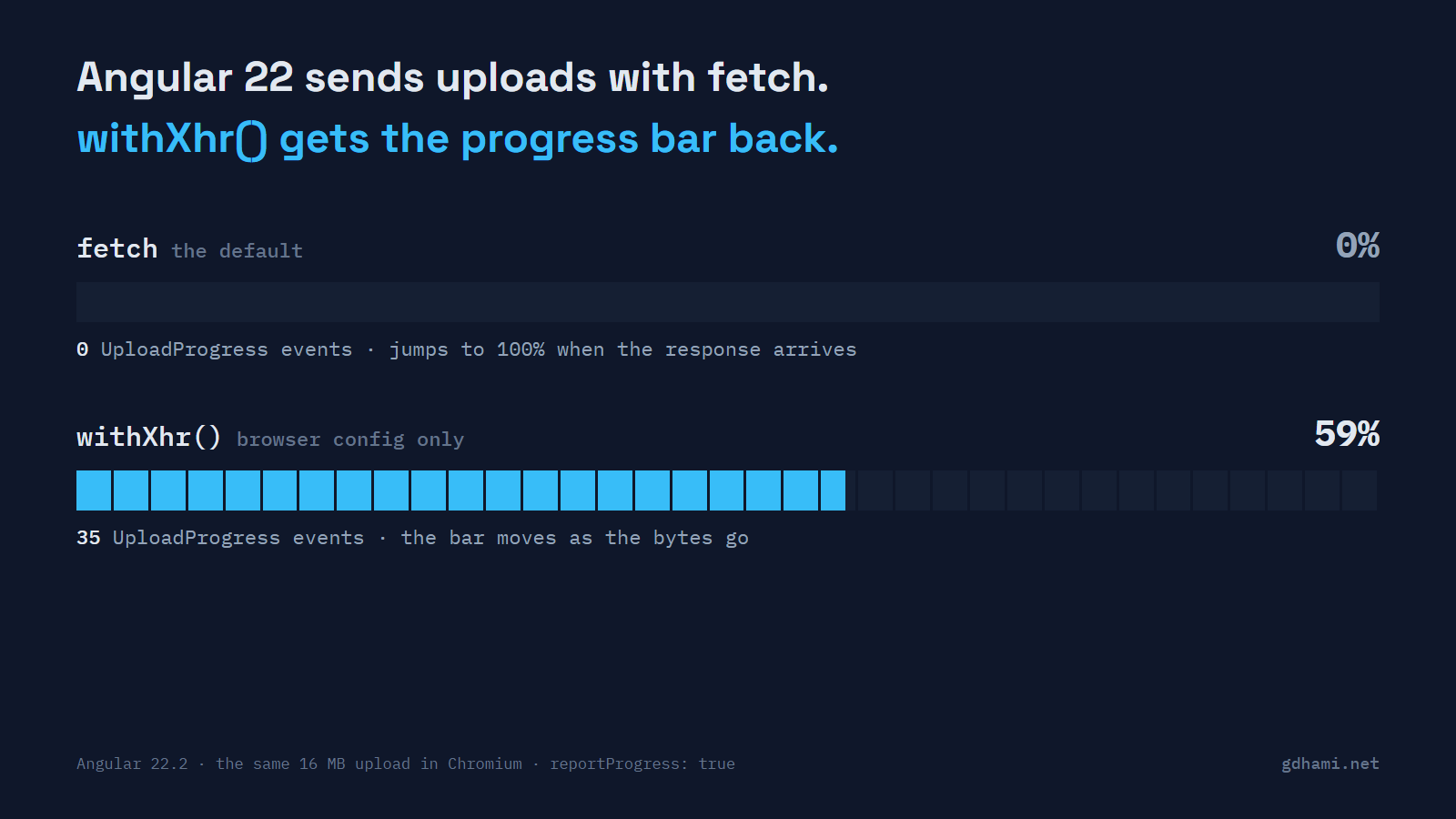
After the move to Angular 22, the upload progress bar sits at 0% for the whole upload and then jumps to 100% when it's done. Nothing in the console, no failing test. Angular 22 switched HttpClient to the fetch API by default, and fetch can't tell the page how much of the request body has gone out. If your app shows a real upload percentage, add withXhr() to the browser's provideHttpClient() and keep it out of the server config. Everything else is fine on fetch.
I built a small Angular 22 app with server-side rendering to see exactly what changes, and to check a few things the release notes don't spell out.
What a 16 MB upload sends back
The upload is the code most apps already have. It asks for every event, with the progress flag on:
this.http
  .post('/api/upload', file, { reportProgress: true, observe: 'events' })
  .subscribe({
    next: (event) => this.onEvent(event),
    error: (err) => this.fail(err),
  });
I sent a generated 16 MB file to a small Express endpoint that reads slowly, so the upload takes about four seconds on localhost. Playwright clicked the button in Chromium, logged every event and read the bar every 50 ms. I ran it three ways: with no HTTP provider at all, with a plain provideHttpClient(), and with withXhr() added to it.
I half expected one UploadProgress event at the very end. There wasn't even that:
no provideHttpClient: events: Sent x1, ResponseHeader x1, DownloadProgress x1, Response x1; bar values seen: 0 100
provideHttpClient():  events: Sent x1, ResponseHeader x1, DownloadProgress x1, Response x1; bar values seen: 0 100
withXhr(): events: Sent x1, UploadProgress x35, ResponseHeader x1, DownloadProgress x1, Response x1; bar values seen: 0 6 9 13 ... 95 98 100That lone DownloadProgress on the fetch runs is the small JSON reply coming back, so don't let it fool a test that only counts "progress events". Download progress still works on fetch, though. A 16 MB download gave me about a hundred progress events. Fetch can count the bytes coming in. It just can't see the ones going out, and there's an open WHATWG issue about that going back years.
A dev build printed nothing about any of this. The old flag is simply ignored for the upload half.
What ng update does about it
I ran ng update on a fresh Angular 21 app, expecting it to do nothing here. I was wrong. Its log has a line that says "Adds 'withXhr' to 'provideHttpClient' function calls", and it did exactly that. Every provideHttpClient() call that didn't already name a backend came out with withXhr() in it.
The catch is the word "calls". A new Angular 21 app has no provideHttpClient() call at all. It doesn't need one, since HttpClient has been provided in root since 21. That app got no edit and no warning, and its backend quietly changed from XHR to fetch. Three other cases end up on fetch too: apps that already had withFetch(), new apps started on 22, and anyone who deletes the withXhr() the migration added because the docs now call fetch the default.
So after the upgrade, search for reportProgress before you search for provideHttpClient. The uploads are what tell you whether you need XHR.
The new option fails loudly
Angular 22 also deprecated reportProgress. It's split into two flags now, one for uploads and one for downloads, and the upload one is reportUploadProgress. On fetch, the new upload flag doesn't stay quiet. It throws before anything is sent:
Error: NG02824: The FetchBackend does not support upload progress reporting. Please use `withXhr()` on your `provideHttpClient()` configuration if you want to report upload progress.Playwright counted zero requests to the upload endpoint on that run. A production build gives you just the code, NG02824. I'd make this switch in the same pull request as withXhr(). A forgotten config then breaks the first test that uploads, which beats a bar that lies in production. With withXhr() in place, the new flag gave the same 35 or so events as the old one.
Keeping XHR off the server
This is the part that can hurt. In an SSR app, app.config.server.ts merges the shared app.config.ts, so anything in the shared file runs on the server too. A unit test in the demo confirms it: withXhr() in the shared config gives the server HttpXhrBackend. If your provideHttpClient() lives in that shared file, that's where the migration puts withXhr().
Angular's withXhr docs say not to do that. XHR on the server is deprecated and planned for removal in Angular 23, because the xhr2 library underneath can forward Authorization headers on cross-origin redirects. So I took provideHttpClient() out of the shared file and gave each side its own:
// app.config.browser.ts, used by main.ts
export const browserConfig = mergeApplicationConfig(appConfig, {
  providers: [provideHttpClient(withXhr())],
});

// app.config.server.ts
const serverConfig: ApplicationConfig = {
  providers: [
    provideServerRendering(withRoutes(serverRoutes)),
    provideHttpClient(),
  ],
};
If you have interceptors, keep their list in one exported array and pass it to both calls, so the two sides can't drift. Playwright read the raw server HTML and then the hydrated page: FetchBackend on the server, HttpXhrBackend in the browser.
Whether you need a progress bar at all
I wouldn't add withXhr() to every app that upgrades. Fetch is what Angular recommends now, and the server loses XHR in 23 anyway. An avatar or a small CSV is gone before a bar could move, so a spinner says enough there and those calls can drop the progress flag. For files that take more than a few seconds, a bar that sits at 0% looks like a hang. That's where withXhr() earns its place: in the browser config only, with reportUploadProgress on the calls that use it.