Add keyboard and screen-reader support to an Angular listbox with @angular/aria
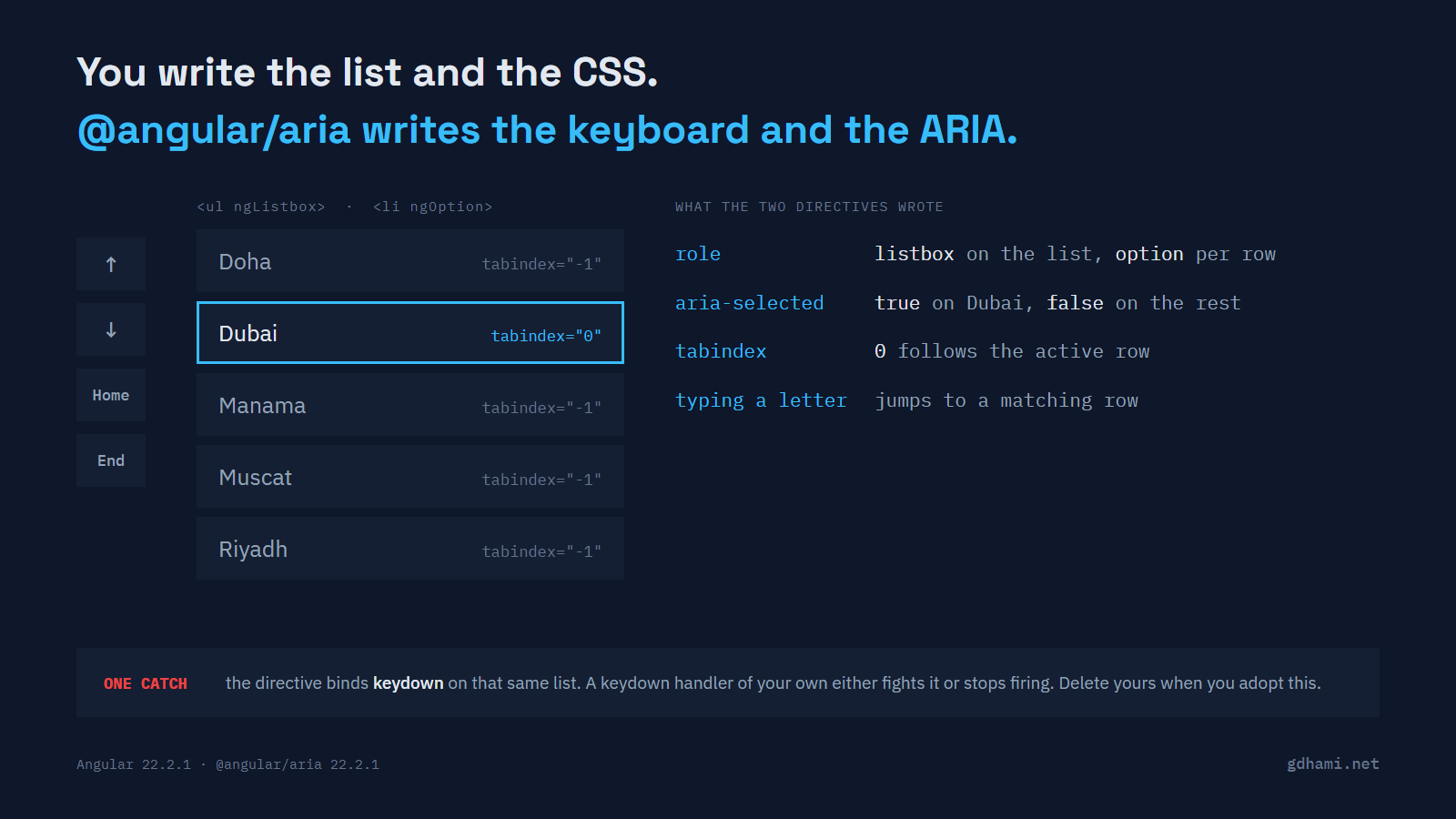
You need a list the user can pick a row from with the keyboard. Arrow keys move the highlight, Home and End jump to the ends, and a screen reader has to say which row is active and which one is chosen. Writing that by hand takes longer than it looks, and the ARIA attributes are the part most hand-rolled lists get wrong.
Angular ships a package for this now. @angular/aria arrived in version 21 as a developer preview and the preview label came off in 22. My advice is to use it for any list-style widget you would otherwise write yourself, and to delete your own keydown handler the same day you add it. The directive listens for keydown on the element you put it on, and your handler will not sit quietly beside it.
What the two directives put in the DOM
ngListbox goes on the container and ngOption on each row. There is no key handling anywhere in this component, and no styling in the package either.
<ul ngListbox aria-labelledby="city-label" selectionMode="explicit" [(value)]="selected">
  @for (city of cities; track city) {
    <li ngOption [value]="city" [label]="city">{{ city }}</li>
  }
</ul>
Look at what the browser gets. The list itself is given role="listbox" and every row below it role="option". Each row also carries an aria-selected flag, set to false or true on all of them and not only on the chosen one. The first row starts active, and tabindex="0" travels with the active row while the others sit at -1.
Then the keys. Arrow down and arrow up step one row and wrap round at both ends. Home and End jump to the first and last row. Typing a character jumps to a row that starts with it. Enter or Space selects, which writes straight into the value signal you bound with [(value)].
One default is worth setting on purpose. selectionMode is follow, so arrowing onto a row selects it as you pass. I pass explicit above, which keeps moving the highlight and choosing a row as two separate acts. Set it yourself if you are porting a list where the arrow keys were never meant to change the selection.
Your old keydown handler keeps running
So the directive owns the keyboard. The handler you wrote before it does not go away on its own. Add ngListbox to a list that already has its own (keydown) binding and both run, every key press.
That catches people out, because the directive does call stopPropagation(). All that does is stop listeners further up the page. A second listener on the same element still fires; the call that would stop it is stopImmediatePropagation(), and the directive doesn't use it.
Here is the handler from the demo. It tracks its own index and clamps at the ends, the way plenty of hand-rolled lists do.
onKeydown(event: KeyboardEvent) {
  if (event.key === 'ArrowDown') {
    this.myIndex.update(i => Math.min(i + 1, this.cities.length - 1));
    event.preventDefault();
  }
  if (event.key === 'ArrowUp') {
    this.myIndex.update(i => Math.max(i - 1, 0));
    event.preventDefault();
  }
}
In the middle of the list the two agree, which is why this hides. Press arrow up on the first row and they part company. The directive wraps to the last row and the hand-written index stays at zero. In the demo, the directive then marks the fifth row as active while the CSS still highlights the first.
On a wrapper, your handler stops running instead
Move that handler up to a <div> around the listbox and the failure flips. Now it never fires for the keys the listbox has claimed.
stopPropagation() is on by default for every key the directive binds, so the plain arrow keys, Home, End, Enter and Space never reach an ancestor. Single characters go the same way, because type-ahead matches any one-character key. A shortcut on n or / attached to a wrapping element is simply dead.
Escape does still get through, which is handy, since that is the key a dropdown wrapper usually cares about. In the demo the wrapper sees nothing from arrow down, End or the letter a, and sees Escape.
Which one to reach for
For a new list, menu, tab strip or tree, I'd start with @angular/aria. It covers twelve patterns, its inputs are signals, and the selection comes back through a model signal, so it fits the rest of a current Angular app without an adapter.
@angular/cdk/listbox has not gone anywhere and carries no deprecation marker in 22.2.1. If you already have a working CDK listbox, I wouldn't rewrite it for this alone. It covers only the listbox, with the older decorator-style inputs. It also never selects a row just because the highlight moved onto it, which Aria does by default. That's the difference most likely to bite you if you do port a list. And if what you want is a list that already looks finished, take Angular Material; Angular's own guidance says the same, that Aria is for the case where you own the styling.
So add the two directives, then walk the component and remove every key handler on those elements. Search the template for keydown before you call the job done, one level up as well as on the list itself.
The demo at github.com/gdhami-net/angular-aria-listbox-demo shows both of the conflict cases above.